How I build: Dec 2025 Edition

I treat AI as a tool and like any tool, people can use the same tools in different ways to acheive different results. I recently realized that I use AI differently than some of my colleagues so I was encouraged to share how I code.
Before I talk about the tools and tactics, it's important to remember that I have a golden rule when using AI to code: Don't get AI to build something you don't understand or haven't built at least 3 times before.
CRUD application? ✅
Simple Tab View Mobile App? ✅
Dashboards of all kinds? ✅
Video Game? 🔴
Vector Search RAG System? 🔴
AI is a tool and for professional software engineers such as myself, I see them as enhancers not replacers... yet. I am sure that one day, and one day soon, everything I am describing here could be done in 1 prompt, automatically, but until then, I think we owe it ourselves and civilization to engage our brain MORE when we are building with AI as it's incredible opportunity to learn and accelerate our leaning vs. getting someone to do something for us.
I am assuming that you are inspecting the results that are being produced, correcting the AI when it builds in a style or way you don't like or want etc. This is an active co-creative process vs. a one shot prompt style workflow. I am also assuming that you are not a first time developer, there are lot of tools that can help you get up to speed and started, Loveable being the most accessible but this is for the next level (for now).
Coding Environment
I use Cursor as my daily driver.
I love the mix of Agent Mode and Editor mode, and I really love the ability to change models per task.
Planning mode is now table stakes for now I build as you will see.
Designing
When designing an application or a feature, I use GPT-5 Pro. I dictate ideas into Apple Voice Notes, copy the transcripion and then put that with a system level prompt into GPT-5 Pro that explains what I am looking for.
I then take the output of that conversation with GPT-5.1 Pro and have a conversation with it using GPT-5.1 (Auto). I will ask it to push me, to test me to make sure I really understand what I am building.
I am not doing this for every task, I am doing it if I have never built that thing before, or don't have a good solid intuitive around how to build it. My most recent project using this loop was building a RAG for an AI system that I hacking on. I have heard of RAGs, I have read about RAGs, but I had never built one myself. So doing the
Audio note -> GPT 5.1 Pro -> GPT 5.1 -> Conversation to make sure I understand -> Test to make sure I understand
Was super useful for me to understand the why and what of what I was doing.
Planning
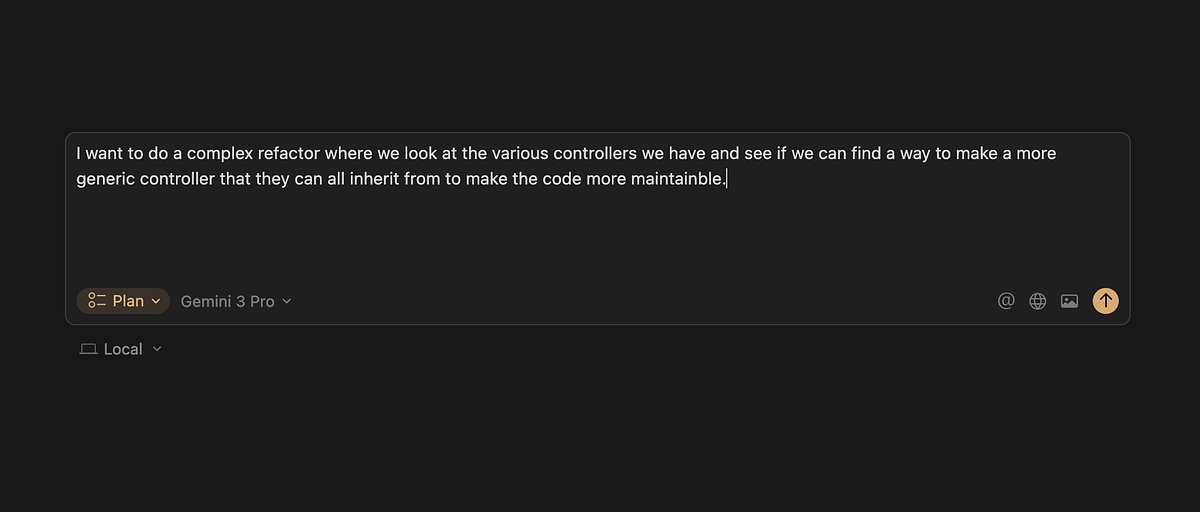
Cursor has a built in planning mode that is one of my favourite features of the application. It takes a prompt / problem and builds you a plan with discrete todos around how it's going to tackle the problem. I review the plan, occasionally bring it back to to GPT-5 if I don't understand something, and then go back and forth until the plan is good.
If you are serious about building good software and don't have a planning agent (like Claude Code does) or use something like Cursor's Plan mode, you aren't getting the full value of AI tools. This really lets you see and understand what is about to get built, which increases your learning loop and allows you build faster with less tokens.
I use Gemini 3 Pro for planning. I find that it does a better job and is faster at rationalizing about a larger code base. If Claude is the builder, I think that Gemini is a fantastic architect. I used to use GPT-5 for this task, but since Gemini's release a few weeks ago, I have found a noticeable difference here.
Building
I break down building into a few smaller categories:
Building from a plan
I will use Opus 4.5 for this. It's high context window and better coding output makers it the natural choice.
Building a net new feature
I will use Opus 4.5 if it involves touch multiple parts of the application.
I will use Sonnet 4.5 if it's a small change within a few files.
Why the difference? Simply cost.
Refactoring
Opus 4.5 or Gemini 3 Pro or Codex 5.1
Writing Tests
Sonnet 4.5 is great at writting tests and cheaper than Opus 4.5
Fixing small bugs
I will use Cursor's built in Composer model. It's fast and free.
Verification
I also get another AI to review the work of the AI that built a feature or a refactor. I don't use code review PR tools, as I tend to be building a lot of this as side projects where I am the primary developer.
I find that Codex 5.1 and Gemini 3 are both great for reviewing Claude's work.
They will each find different edge cases that Claude missed, or will be able to provide a refactor or a DRY pattern that I missed.
Always review complex code with another agent.
Shipping
I like to have a variety of shell scripts and other tools that are part of my build process that interact with my .env files or local docker configs.
For those, I will use Cursor's built in Composer model. It's so fast and free and quite frankely it can just do a bunch of trial and error until it gets it as that is typically what I do when I am getting things to run locally on my machine.
Once I have a working idea of the production infra needed, I would put this back into my Design -> Plan and Build loop using better models.
I never ship AI code to production the first time, using AI. I still find it super important to understand the inputs and outputs of my infra. Once I have done it a few times, I will let AI deploy and build etc.
How are you building in 2025?